Table of Contents
Restart Check Printing
Use this procedure if you Restart a group payout. Such a step is necessary if a check jams in the printer or there is a loss of power during the check run.
Example: In the process of printing 100 checks, numbered 101-200, check 155 jams in the printer. After fixing the printer jam, select Restarting and enter the number of the last check that printed properly in the Last Good Check field that displays.
To Restart Check Printing
- If you are not already in the Print Account Payments dialog, select Activities > Accounting > Account Payments. The Print dialog displays.
- Select the This is a Restart radio button. The Starting Payout Number dialog will change to Next Payout Number to Print.
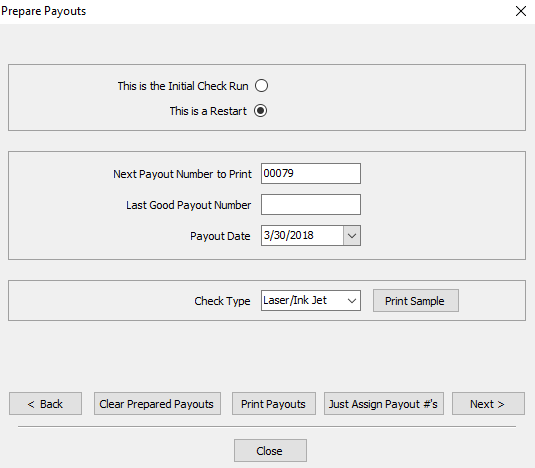
- Enter in the Last Good Payout Number
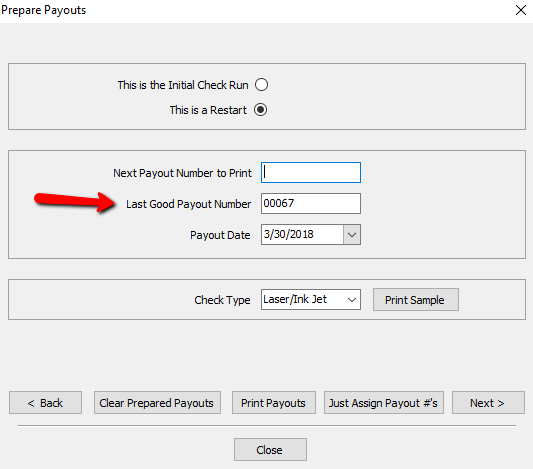
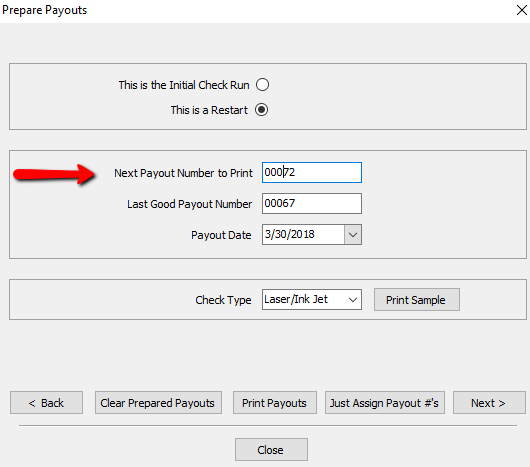
- Enter in the Next Payout Number to Print.
- Click Print Payouts at the bottom.
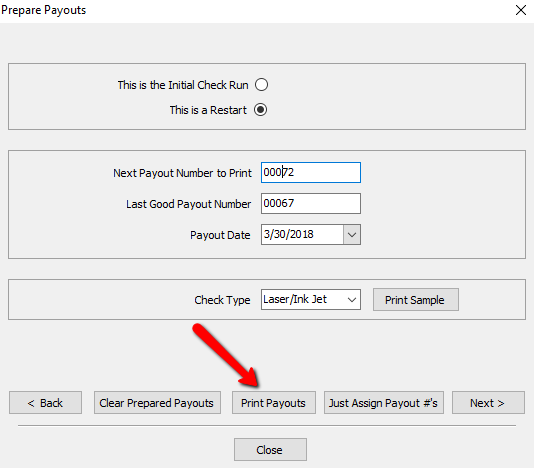
Print Account Payments Dialog Field- This Is The Initial Check Run : By default, this is the radio button selected. This indicated this is the first time we are running this check run.
- This Is A Restart : This radio button indicates we had an issue with the first attempt at the check run, and we need to restart from a certain check number. This feature is used in conjunction with Last Good Payout Number.
- Payout Date : Enter the date to be printed on the checks.
- Check Type : If paying by check, select the type of check.
- Quickbooks : Quickbooks checks have a check at the top of an 8½ x 11 page, and two stubs below.
- Laser/Inkjet : laser/Inkjet checks have a check in the middle of an 8½ x 11 page, with a stub above and a stub below.
Note: Contact Resaleworld to order checks for use with Liberty. Checks ordered from Resaleworld are guaranteed to work with Liberty. Checks ordered from other sources may not work. See Ordering Computer Checks from Resaleworld for more information. - Print Sample Button : Select this to print a sample check. This is useful to make sure checks are lined up and the printer is working properly. (No inventory information will be printed on this sample check).
- Back Button : If you feel the data is incorrect, you can press the Back button to go back a step.
- Clear Prepared Payouts Button: Will clear out the payouts completely and will result in having to start over from the beginning.
- Close Button : If you press the close button, it will close the Prepare Payouts screen, saving your data as it was. When you go back to do the Multiple Payouts, it will pick up where you left off.


Next Article In Section
Click the following link to move to the next article in this section:
Cancel Check Printing
Related Topics
Restart Check Printing Pay Multiple Accounts Simultaneously Cancel Check Printing Printing Checks Printing a Donor Receipt Printing Letters From Accounts Printing Or Emailing An Inventory List Printing Payout Detail Printing a Pick List Printing Transaction History Printing Items Purchased By History