Table of Contents
Maintain Shipping Services Overview
This feature allows you to create your own custom shipping services to be used when creating orders within the listing manager.
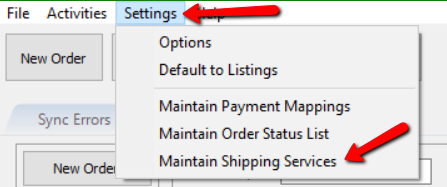
- Click on Settings then Maintain Shipping Services

Adding Shipping Services
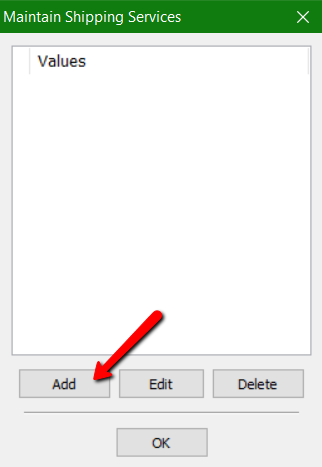
- Click the Add button.
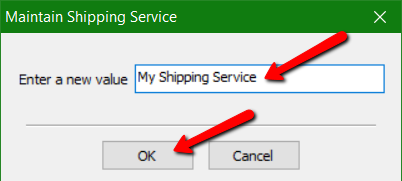
- Type in your custom shipping service name within the Enter a new value field and then click the OK button.


Editing Shipping Services
- Click on a shipping service and then click the Edit button.
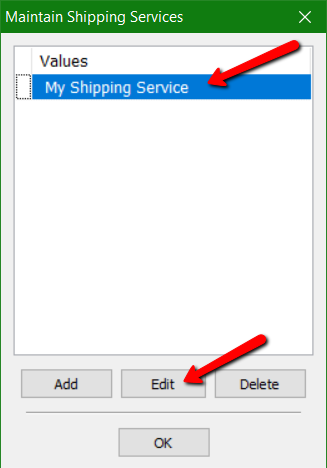
- Click into the Enter a new value field and then you may edit the shipping service name.

When finished, click the OK button.

Next Article In Section
Click the following link to move to the next article in this section:
Adding Shipping Services
Related Topics
Maintain Shipping Services Overview Adding Shipping Services Editing Shipping Services Accessing Maintain Order Status List Adding An Order Status Arranging Order Statuses Deleting An Order Status Editing An Order Status Edit Status Email Maintain Order Status List Overview Accessing Payment Mappings